


Last Updated: November 16, 2026
Quick Summary
A bredent alternative for dental labs is usually sought to gain more capacity, fit a smaller workspace, or secure clearer support and consumables. Choosing one means matching the machine to your real case volume, materials, scanner and software compatibility, and total three-year running costs.
- Define your monthly case volume, materials and number of operators before comparing any machine.
- Confirm scanner and design software file formats in writing before shortlisting milling equipment.
- Build a three-year cost model covering burrs, software licences, maintenance, calibration and training.
- Test scanners and software with your own cases, not the supplier's demonstration files.
- Ask suppliers for installation, calibration and response-time commitments in writing before buying.
Table of Contents
- Why Dental Labs Look for a Bredent Alternative
- What to Compare When Choosing Milling Equipment
- Dental Laboratory Scanners and Digital Input
- CAD/CAM Software and Learning Curve
- Total Cost of Ownership: Consumables, Maintenance and Licensing
- Supplier Support, Installation and Calibration
- Choosing the Right Milling Tools for Your Workflow
- Frequently Asked Questions
Why Dental Labs Look for a Bredent Alternative
Many dental laboratories are reviewing their milling equipment right now. The reasons are practical: workflow fit, lab size, aftercare and the total cost of running a digital production line. Many of the questions that come up come from people looking for a bredent alternative for dental labs rather than a like-for-like replacement.
A bredent alternative for dental labs is often sought for one of three reasons. The first is capacity: a lab outgrows a desktop unit or needs a larger production system. The second is workspace: a smaller practice needs compact equipment that fits beside existing benches. The third is support and consumables: the lab wants a clear route to tools, calibration and technical help after purchase.
Looking at alternatives does not mean the current system is failing. It means the lab's case mix, staffing or budget has changed. A considered comparison protects against buying equipment that suits the sales brochure better than the daily workload.
What to Compare When Choosing Milling Equipment
Before comparing any bredent alternative for dental labs, define the job the machine must do. Write down your monthly case volume, the materials you mill most often (titanium, CoCr, zirconia or wax) and how many technicians will operate the equipment.
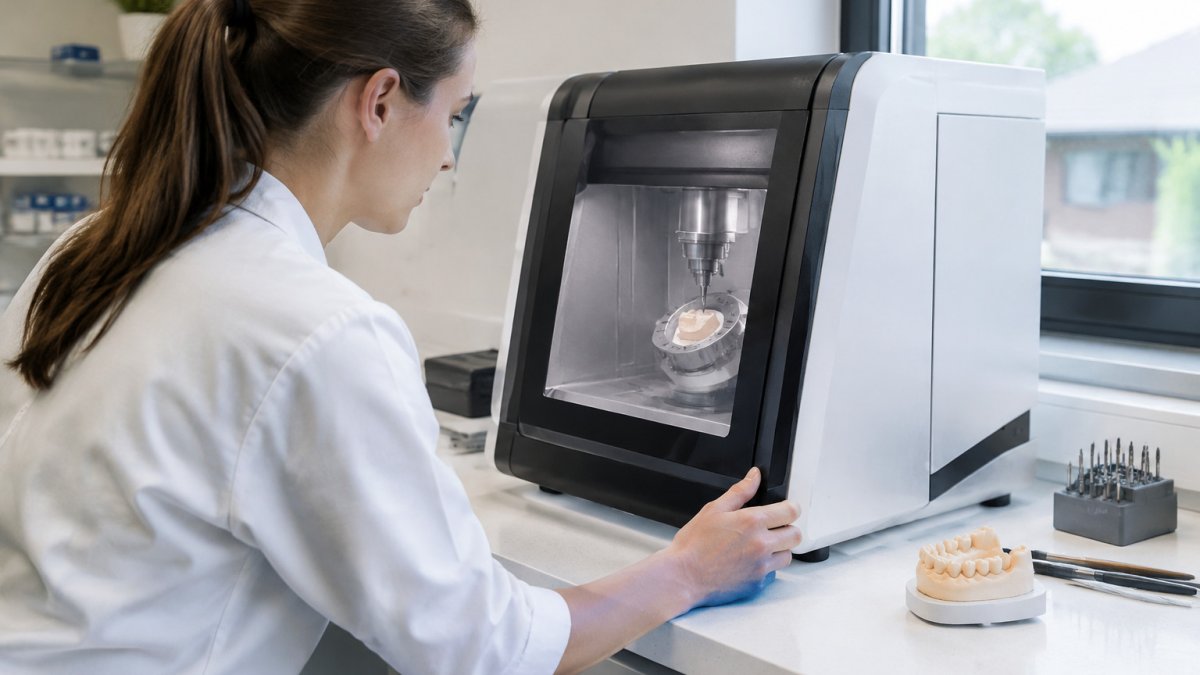
A common mistake is judging milling systems on machine specification alone. The burrs, consumables and software decide how reliable the system is in a working week, so compare them alongside the hardware.
Lab size, case volume and workspace
Match the machine to your real throughput, not the throughput you hope to reach in three years. If floor space is tight, see our compact desktop milling guide for small labs for options sized for limited workspaces. Over-specifying a production system you rarely load wastes both capital and bench space.
Measure your workspace before shortlisting. Check footprint, extraction requirements, power supply and how much clearance the door and tool changer need.
Compatibility with your existing systems
Check which scanner, design software and milling machine your lab already uses. A new mill that does not accept your current design files forces a second workflow to run alongside the first. Ask the supplier which burrs and tool holders are compatible with the machine you plan to buy, and confirm the answer in writing.
Dental Laboratory Scanners and Digital Input
Accurate milling starts with accurate scanning. A scanner that captures soft tissue margins and moisture poorly will pass errors straight through to the mill, whatever the machine is capable of. For a lab comparing a bredent alternative, the scanner decision is therefore not a separate purchase, it is the first link in the chain that determines whether the mill can hold tolerance.
Scanner types and what each suits
Three scanner categories matter to a dental lab:
- Desktop laboratory scanners, the workhorse for model and die scanning. They suit labs scanning impression-based or poured models and typically accept a range of model holders. Check the maximum model size and whether the holder system is open or proprietary.
- Intraoral scanners, increasingly used by clinicians to send digital impressions directly to the lab. If your clinicians scan intraorally, confirm which file formats your design software accepts and whether the scanner exports open STL or a locked format.
- Model and impression scanners with multi-die plates, suited to labs running batch production, where several dies are scanned in one cycle. Ask how many dies fit per plate and how the software handles die identification.
Compatibility questions to ask before shortlisting
A scanner is only as useful as the files it produces. Before shortlisting, confirm in writing:
- Which export formats the scanner produces (open STL is the baseline; check for PLY or native project formats).
- Whether the scanner's software can export directly into your CAD package, or whether a third-party conversion step is needed.
- Whether the scanner accepts the model holders and die plates you already own, or whether it locks you into a proprietary consumable.
- The stated accuracy specification and the conditions under which it is measured, ask for the test method, not just the headline figure.
A practical scanner test
When assessing a scanner, ask for evidence from labs working on cases similar to yours. Look at how the device handles prepared teeth, implant abutments and full-arch scans, and ask how it copes with the moisture and soft tissue issues common in daily clinical work.
Run a controlled test before committing. Scan the same model three times on the candidate scanner and once on your current device, then compare the resulting files in your CAD software.
Watch out: a scanner demonstration using the supplier's own perfectly prepared model will flatter the device. Insist on scanning one of your own cases, including a die with a deep margin or a scan body, before you decide.
CAD/CAM Software and Learning Curve
Design software often decides how quickly a new system pays back. A powerful package that takes months to learn can cost more in lost productivity than the difference in machine price. For a lab weighing a bredent alternative, the software question is really a workflow question: does the package fit the way your technicians already design, or does it force a second process alongside the first?
Software categories and fit
Dental CAD software generally falls into three groups:
- Open CAD packages, accept scan files from most scanners and export to most mills. They suit labs that want to mix hardware from different suppliers and avoid being tied to one vendor.
- Manufacturer-tied software, designed to work with a specific scanner and mill combination. They can be efficient within that ecosystem but may restrict which files you can import or export.
- Modular or indication-specific packages, sold by module (crown and bridge, implant, removable, full-arch). They suit labs that want to buy only the indications they actually produce, rather than paying for a full suite.
Ask which category a package falls into before comparing price. A cheaper tied package can become expensive if it forces you to buy a matching scanner or mill later.
Interoperability checks
File compatibility is where software decisions go wrong. Confirm the following before shortlisting:
- Which scan formats the software imports (open STL is the minimum; check for PLY and native scanner formats).
- Which output formats it produces for your mill or 3D printer, and whether those are open or proprietary.
- Whether it supports the implant libraries and scan bodies you use, and how often those libraries are updated.
- Whether design files can be exported and reopened in another package, or whether they are locked to the vendor.
A common pattern is for a lab to buy software that designs well but exports poorly, forcing a manual conversion step on every case. Test the export path on a real case, not a demonstration file.
Licensing and update costs
Software cost is rarely a one-off. Ask every supplier to state, in writing:
- Whether the licence is perpetual or subscription, and what happens if you stop paying.
- The cost of annual maintenance and updates, and whether updates are optional or forced.
- Whether additional seats or dongles are charged per technician.
- Whether implant libraries and material profiles are included or sold separately.
Build these figures into the same three-year cost model you use for the mill, so the software line is not hidden.
Measuring the learning curve
Ask how long a trained technician typically needs to become productive, and whether the supplier provides onboarding. Request a trial with your own cases rather than the supplier's demonstration files.
A practical test: give one technician a real case on day one, time them, and repeat the exercise after two weeks. The gap between those two results is a better predictor of training cost than any brochure claim. Also ask whether the supplier offers structured training, and whether that training is included in the purchase price or charged separately.
Watch out: a software trial that runs on the supplier's laptop with the supplier driving tells you nothing about your team's learning curve. Insist on installing the trial on your own workstation and having your own technician complete a case unaided.
Total Cost of Ownership: Consumables, Maintenance and Licensing
The purchase price is only the first line of the budget. For any bredent alternative for dental labs, build a three-year cost model that includes:
- Milling burrs and tool replacements
- Software licences and updates
- Maintenance or service contracts
- Calibration visits and spare parts
- Training for new staff
Milling burrs are a recurring cost. Consider a few examples from the TTC Labs Ltd range to see how the numbers add up:
| Product | Application | Price |
|---|---|---|
| Paragon Ti/CoCr 1.5mm Torus 6mm Shank | CoCr and titanium, Imes Icore Coritec 350i-750i | £60.00 |
| Paragon Ti/CoCr 0.5mm Ballmill 6mm Shank | Fine detail in CoCr and titanium | £50.00 |
| T650-3IB3016 (T1/T6) Paragon Milling Tool | 3mm ball tool for metal milling | £42.50 |
| T1/T6 Milling Tool for Imes Icore | 3mm tool for titanium on Imes Icore | £43.00 |
| T650-3IB1512 (T3/T8) Paragon Milling Tool | 1.5mm ball tool for metal milling | £52.00 |
Price
Multiply your expected burr usage per month by these prices to estimate consumable spend. Then ask every supplier to state, in writing, what maintenance and software licensing will cost each year.
Supplier Support, Installation and Calibration
Support is where many buying decisions are won or lost. A machine that stops during a busy week costs more than any saving on the purchase price.
Ask these questions before you buy:
- Who installs the equipment, and how long does it take?
- How is the machine calibrated, and how often must it be checked?
- What is the response time when something goes wrong?
- Is a named technical contact available, or only a generic helpline?
TTC Labs Ltd offers expert support for installation, calibration and optimisation. Ask any supplier for references from labs of your size, and speak to them directly.
Choosing the Right Milling Tools for Your Workflow
Tool choice should follow material and machine. Titanium and CoCr need tools built for hard alloys, while fine detail calls for smaller diameters. The Paragon range covers this spread, from 0.5mm ball mills to 1.5mm torus tools.
Check compatibility before ordering.
Keep a small stock of your most-used sizes and log how many cases each tool completes. That record shows when a burr is worn and when it is time to reorder, long before a remake forces the decision.
Choosing a bredent alternative for dental labs comes down to matching capacity, compatibility, software, running costs and support to your own workload.
Frequently Asked Questions
What are the alternatives to Bredent for dental laboratories?
Dental laboratories considering a Bredent alternative should compare milling systems on the basis of compatibility with their existing scanners and design software, case volume, and workspace. TTC Labs supplies milling tools and equipment for dental labs, including the Paragon range of titanium and cobalt-chrome burrs, which are listed from £42.50 to £60.00. Before switching, confirm which milling tools your current machine and new system accept, and ask for a demonstration in your own lab setting.
What should a dental lab compare when choosing a milling machine?
Focus on the materials you mill most often, the number of cases you produce each week, the footprint your workspace can accommodate, and the availability of compatible tools. Check whether consumables and tools are priced transparently and whether the supplier provides installation and calibration support.
How can a dental lab assess the cost of switching suppliers?
Look beyond the purchase price to total cost of ownership. Include tool and burr replacement, maintenance agreements, software licensing and any retraining time for technicians. Compare the cost per case over a realistic period rather than the initial invoice alone. Ask the supplier to itemise recurring costs in writing before you commit.
Which milling tools suit titanium and cobalt-chrome work?
Paragon burrs from TTC Labs are designed for CoCr and titanium milling, with a TiSi+ coating intended to support durability and cutting speed in dry milling. Sizes include 0.5mm ballmill and 1.5mm torus options with 6mm shanks, plus ball-type tools for specific machine systems such as the Imes Icore. Confirm that the tool matches your machine's specification before ordering.


