


Last Updated: October 23, 2026
Quick Summary
Compact desktop milling machines automate the carving of dental restorations into precise components like crowns and bridges, occupying less than 1 metre wide while delivering precision comparable to much larger systems. These computer-controlled systems eliminate variables from manual milling, ensuring consistency and reducing remakes that erode small lab margins.
- Compact desktop milling systems occupy under 0.5 square metres, compared to 2-3 square metres for traditional machines.
- Zirconia milling requires wet cooling and spindle speeds of 30,000-50,000 RPM to avoid thermal stress and fracturing.
- Total cost of ownership over five years ranges from £25,000 to £60,000 including machine, consumables, maintenance, and software.
- Accuracy tolerance of ±75 microns across a full crown is considered good performance for dental restorations.
- Annual consumables and coolant costs range from £3,000 to £6,000 depending on case volume and material mix.
Table of Contents
- What Compact Desktop Milling Machines Do in Small Dental Labs
- Wet vs Dry Dental Milling Machine: Which Suits Your Lab
- Dental Milling Machine Footprint: Space Planning for Compact Systems
- Materials and Precision: Dental Mill for Zirconia and Beyond
- Accuracy, Rigidity, and Repeatability in Desktop Milling
- Dental Milling Machine Maintenance and Total Cost of Ownership
- Common Mistakes When Selecting a Desktop Milling System
- Frequently Asked Questions
What Compact Desktop Milling Machines Do in Small Dental Labs
Compact desktop milling machines have transformed how small dental labs operate. These systems automate the process of carving restorative materials into precise dental components, crowns, inlays, onlays, bridges, without requiring the floor space of industrial equipment.
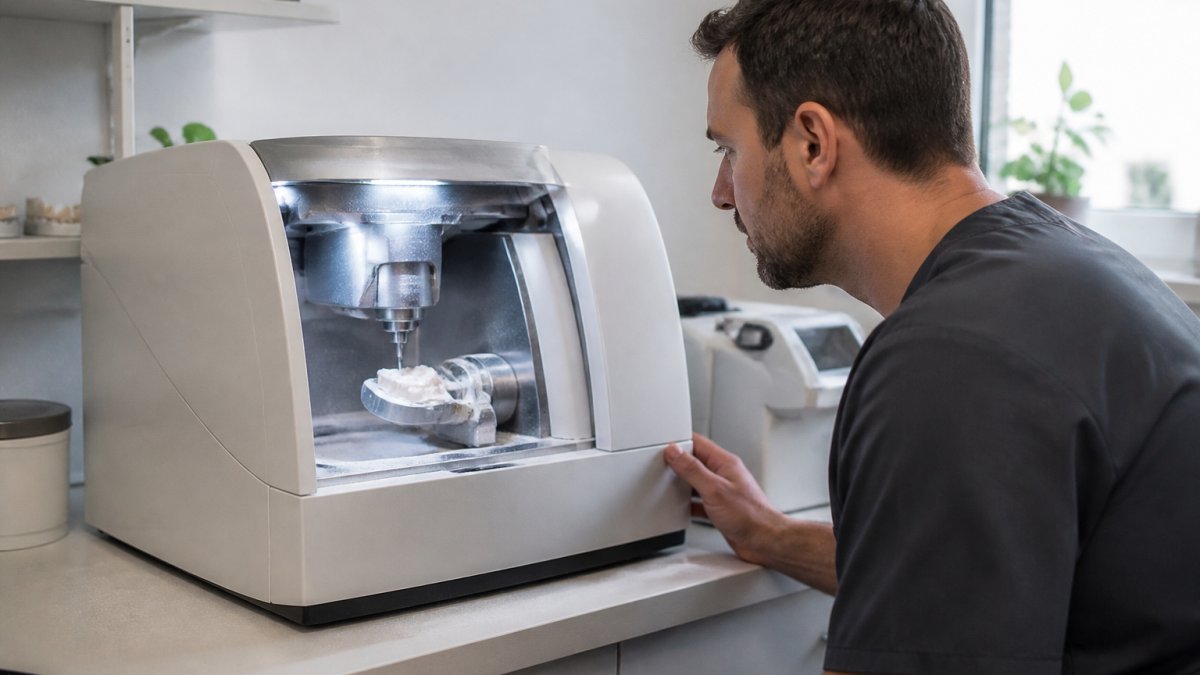
At TTC Labs Ltd, we work with labs across the spectrum, from single-technician operations to mid-sized teams. The shift to desktop milling isn't just about convenience; it's about reclaiming control over turnaround times and accuracy that previously depended on outsourcing or manual crafting.
A compact desktop milling machine works by reading CAD design files and translating them into precise cutting instructions. The spindle rotates a cutting tool, typically a diamond or carbide bur, while the workpiece moves in three dimensions beneath it.
The real advantage for small labs is consistency. Manual milling introduces variables: operator fatigue, tool wear, hand pressure. Computer-controlled milling removes those variables. Every crown milled from the same design comes out identical. That repeatability directly reduces remakes, which is where small labs lose margin.
The footprint is deceptive. Modern compact systems occupy roughly the space of a large desktop printer, under 1 metre wide in most cases, yet deliver precision comparable to systems three times the size.
Wet vs Dry Dental Milling Machine: Which Suits Your Lab
The choice between wet and dry milling comes down to material compatibility, maintenance burden, and material waste.
Dry milling uses air cooling and no liquid. It's simpler mechanically, generates less mess, and works well with most plastics and composites. The downside: certain materials like zirconia generate heat that can compromise the restoration's microstructure if not managed carefully. Dry systems also produce fine dust that requires proper extraction.
Wet milling sprays coolant onto the cutting zone. This keeps temperatures lower, which is essential for zirconia and other ceramics that demand precise thermal control. Wet systems also suppress dust, making them cleaner for the lab environment.
For labs doing primarily composite or crown-and-bridge work in polymer blanks, dry milling is often sufficient and cheaper to operate. If your case load includes significant zirconia or implant abutment work, wet milling, or a system that handles both, becomes necessary.
The DCQ™ CAD/CAM Milling System from Dental Concept Systems, which we supply at TTC Labs Ltd, enables particular convenience in wet and dry machining. That flexibility matters when your case mix changes month to month, or when you're still figuring out which materials your clients demand most.

Dental Milling Machine Footprint: Space Planning for Compact Systems
Space constraints are real in small labs. A traditional milling machine can occupy 2-3 square metres. Compact desktop milling cuts that to under 0.5 square metres for the machine itself, though you'll need additional room for material storage, finished restorations staging, and operator movement.
When evaluating footprint, measure not just the machine's base dimensions but the operational envelope, the space the spindle head and workholding system need to move through.
Vibration isolation also matters. Milling generates vibration that, if transmitted to the floor or workbench, can affect nearby equipment like 3D scanners or precision balances. A dedicated milling station with isolation pads is ideal, but even a sturdy bench separate from sensitive instruments helps.
Consider workflow too. Is the milling machine positioned so finished restorations don't require handling through the lab multiple times? Can the operator load and unload materials without awkward reaches? Poor positioning creates bottlenecks that negate the speed advantage milling provides.
For labs under 50 square metres, a compact desktop system with proper staging space typically works without major layout restructuring. For labs already tight on space, vertical storage of blanks and finished cases, combined with a wall-mounted milling station, can make it work.
Materials and Precision: Dental Mill for Zirconia and Beyond
Dental mill for zirconia work requires specific machine capabilities. Zirconia is harder and more brittle than polymers or composites. It demands consistent spindle speed, sharp tooling, and precise cooling to avoid thermal stress that causes fracturing during or after milling.
Not all compact systems handle zirconia equally. Some are limited to polymer blanks. Others specify zirconia but require slower feed rates that extend cycle time. The best compact systems for zirconia work maintain spindle speeds of 30,000-50,000 RPM with active coolant management, allowing reasonable production speeds, typically 8-12 minutes per crown depending on complexity.
Beyond zirconia, modern compact milling handles:
- Lithium disilicate (e-max style materials)
- Hybrid ceramics
- Titanium and titanium alloys for implant abutments
- Composite resins
- PMMA for temporary restorations
Material compatibility isn't just about whether the machine can mill it, it's about whether it does so with the precision and surface finish you need. Composite resins, for example, can chip or fray if tooling is dull or feed rates are too aggressive. Titanium requires specific tool geometry and coolant to avoid work-hardening.
At TTC Labs Ltd, we've tested the DCQ™ across this material range. The system's 8-fold change system for blanks and automated tool management mean you can run zirconia and switch to composite, maintaining accuracy throughout.
Accuracy, Rigidity, and Repeatability in Desktop Milling
Precision in milling depends on three factors: spindle runout (how much the cutting tool wobbles), machine rigidity (how much the frame flexes under cutting forces), and software calibration (how accurately the machine interprets the CAD file).
For dental restorations, typical tolerance requirements are ±50 microns for fit-critical surfaces and ±100 microns for aesthetic margins. Compact systems that hold ±75 microns across a full crown are performing well. Systems that drift beyond ±150 microns will generate visible fit issues and chairside adjustments.
Rigidity matters most when milling hard materials. A machine with insufficient stiffness will chatter, the cutting tool will vibrate against the workpiece, leaving visible marks and compromising surface finish. Chatter also accelerates tool wear, increasing consumable costs over time.
Repeatability is where many labs struggle. A machine might mill the first crown perfectly but drift by the tenth. This happens when spindle bearings wear, thermal expansion isn't compensated, or calibration drifts. Regular maintenance, spindle bearing inspection, thermal compensation checks, and periodic recalibration, keeps repeatability consistent.
The best compact systems include built-in measurement or feedback systems. The DCQ™, for instance, includes a tactile measuring system that verifies tool offsets and compensates for wear automatically.
Dental Milling Machine Maintenance and Total Cost of Ownership
Purchase price is only the starting point. Total cost of ownership includes consumables, maintenance, downtime, and software licensing.
Consumables are the biggest variable. Cutting tools cost £15-£50 per tool depending on material and geometry. A busy lab running 20-30 cases daily might replace tools weekly. Blank material costs vary, polymer blanks run £5-£15, zirconia £20-£40, titanium £40-£80.
Maintenance ranges from simple (cleaning dust filters, flushing coolant lines) to complex (spindle bearing replacement, servo calibration). Many compact systems require annual professional servicing, typically £500-£1,500. Preventive maintenance costs less than emergency repairs, but labs often defer it until something breaks.
Software licensing sometimes carries annual fees, especially if you're using the milling system's proprietary CAD/CAM software. Some vendors bundle this into the machine cost; others charge separately. Factor this into your budget.
Downtime cost is often overlooked. If your milling system fails during a busy week, can you outsource the cases? Most small labs can't absorb the lost revenue.
At TTC Labs Ltd, we provide comprehensive support for the systems we supply, including installation, calibration, and ongoing technical assistance. Our role is to ensure your milling system stays productive.
A realistic total cost of ownership for a compact desktop milling system over five years:
- Machine purchase: £15,000-£30,000
- Annual consumables and coolant: £3,000-£6,000
- Annual maintenance and servicing: £800-£1,500
- Software licensing (if applicable): £0-£2,000 annually
That's roughly £25,000-£60,000 over five years depending on case volume and material mix.
Common Mistakes When Selecting a Desktop Milling System
Choosing based on price alone is the most expensive mistake.
Underestimating material range requirements comes next. Labs often buy a system that handles their current case mix, then struggle when they want to expand into zirconia or implant abutments.
Ignoring software workflow integration is surprisingly common. The milling machine is only part of the chain.
Neglecting training and support leads to underutilised equipment. A system that requires two weeks to learn properly but your team only spends two hours learning will never deliver its potential.
Deferring maintenance is a false economy. A £500 annual service prevents a £5,000 spindle replacement.
Choosing a system without local support is risky for small operations. If your milling machine fails and the nearest service centre is 200 miles away, you're offline for days.
Selecting a compact desktop milling system for your small lab is about balancing precision, material capability, footprint, and total cost.
At TTC Labs Ltd, we work with labs to match the right system to their workflow.
Ready to explore how compact desktop milling can transform your lab? Shop Now to discover the DCQ™ and see how it integrates into your workflow.
| System Consideration | What to Evaluate | Why It Matters |
|---|---|---|
| Material compatibility | Zirconia, ceramics, polymers, titanium | Limits what restorations you can mill in-house |
| Accuracy tolerance | ±50-100 microns typical | Poor accuracy means chairside adjustments and remakes |
| Footprint | Under 1 metre wide for compact systems | Determines whether it fits your lab space |
| Wet vs dry capability | Material-dependent cooling | Zirconia requires wet; polymers work with dry |
| Spindle speed | 30,000-50,000 RPM for zirconia | Faster speeds reduce milling time but risk thermal stress |
| Tool change system | Manual vs automated | Automated saves time and reduces operator error |
| Software integration | CAD/CAM workflow compatibility | Incompatibility creates manual steps and delays |
| Local support availability | Vendor service or authorised partner nearby | Reduces downtime if equipment fails |
Frequently Asked Questions
What materials can a compact desktop milling machine process?
Modern compact desktop milling machines handle a wide range of dental materials including zirconia, lithium disilicate, composite resins, PMMA, and light metals. The spindle speed and cutting tool selection determine material compatibility. Zirconia requires rigid spindle support and appropriate tooling; composites and plastics are less demanding. Always verify your specific system's material database and consult the manufacturer's compatibility list before attempting a new material.
Is a wet or dry dental milling machine better for a small lab?
Wet milling uses coolant during machining, extending tool life and producing finer surface finishes on zirconia and ceramics, but requires drainage and regular coolant maintenance. Dry milling eliminates coolant mess and maintenance but generates more heat, limiting tool life and production speed. Small labs with limited space and technician capacity often prefer dry systems for simplicity, whilst those prioritising finish quality and tool economy choose wet systems. Your material focus and workflow determine the best choice.
How much space does a desktop dental mill actually need?
Compact desktop milling machines typically occupy 0.5 to 1.2 square metres of bench space, including the machine footprint, tool storage, and material staging area. Consider ceiling height for spindle clearance and surrounding workspace for loading blanks, unloading restorations, and accessing the tool changer. Plan for utility connections (power, water if wet milling, compressed air) and ensure adequate ventilation. Many small labs integrate desktop mills into existing benches by removing older equipment.
What's the real total cost of ownership for a compact desktop milling system?
Purchase price is only one component. Factor in consumables (cutting tools, blanks, coolant if wet milling), maintenance contracts, software licensing, calibration services, and training. Annual maintenance typically runs £500-£1500. Request a detailed cost breakdown from your supplier before committing.


